
How to Manage Asset Versions
During the project advancement process, the same asset may go through multiple rounds of revisions, such as the initial video cut, fine cut, final version, the first version of the design draft, the customer's revised version, and the final version. Fygo Seek supports the management of these files as different versions of the same asset, which facilitates team comparison, review and tracking of modification records, and avoids a large number of indistinguishable duplicate files in the same project.
Multi-version management is suitable for the following scenarios:
- The initial cut, fine cut, and finished film delivery version in video editing.
- Multiple rounds of revisions to design drafts, posters, and visual assets.
- Modified version re-uploaded after review by the customer.
- Version archives of the same asset in different formats and different export specifications.
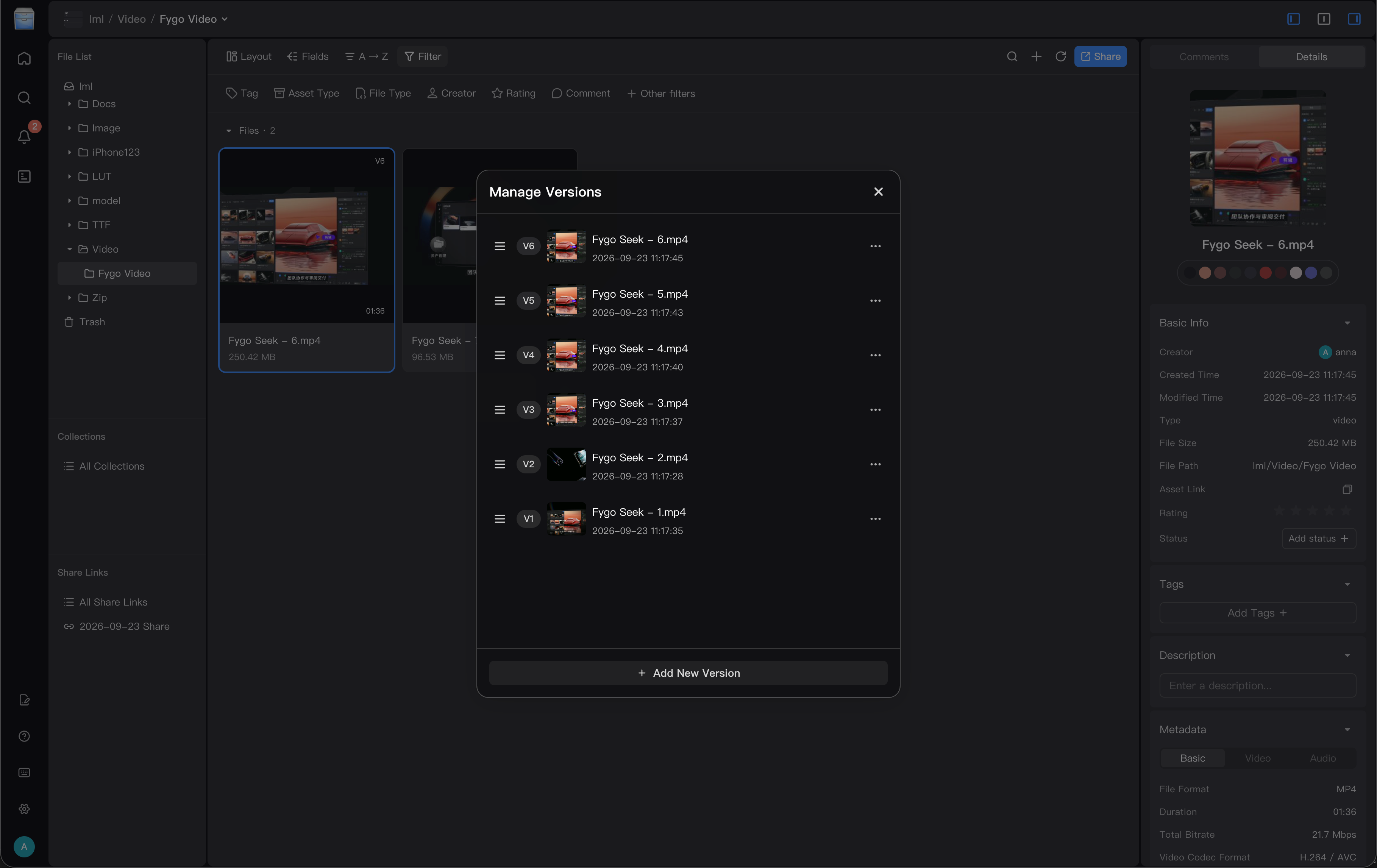
How to add a new version?
Method 1: Drag and drop files to the old version and add the file as a new version
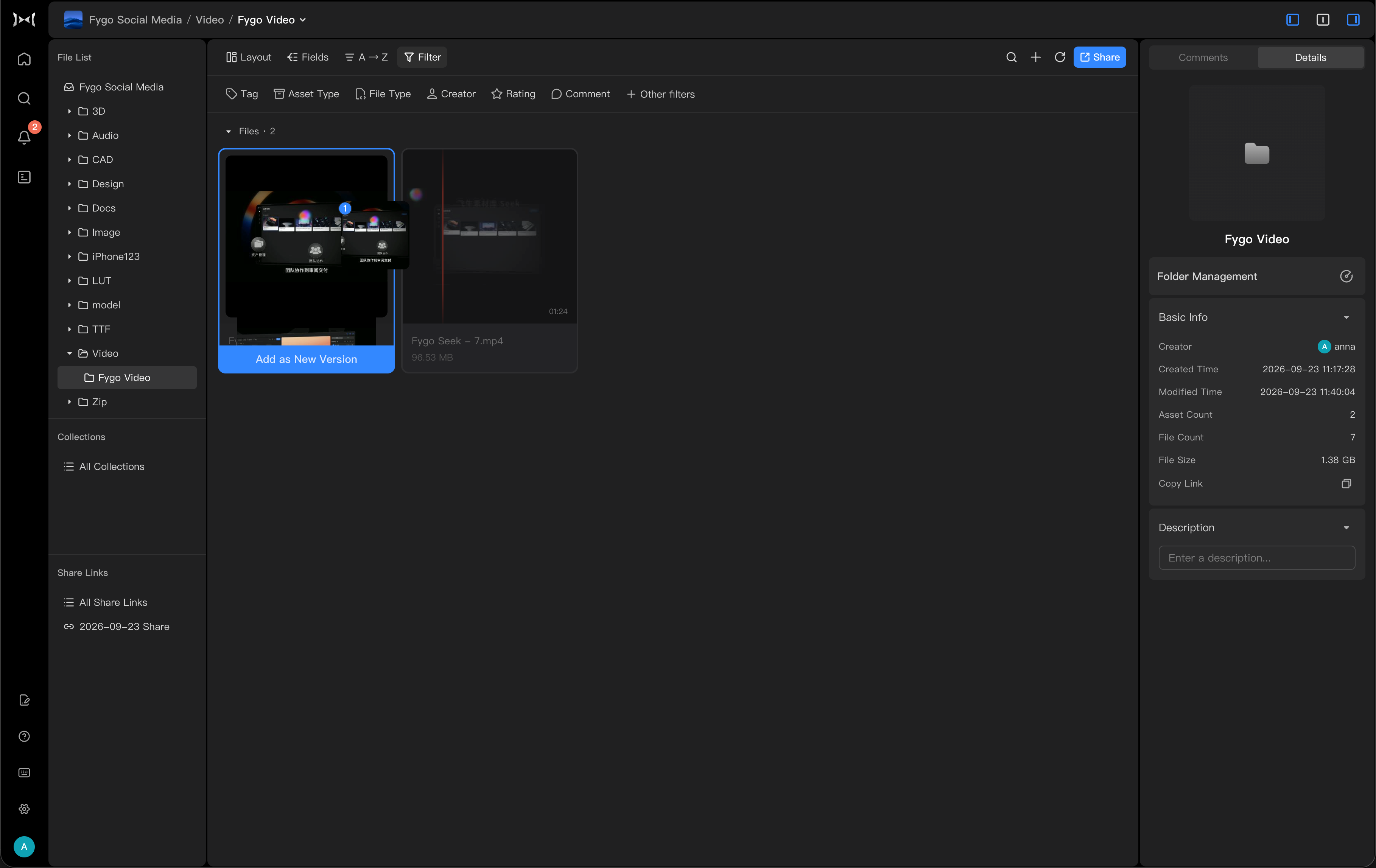
Method 2: Right-click and select Add New Version
Find the version-related entry in the asset details page and click "Add New Version".
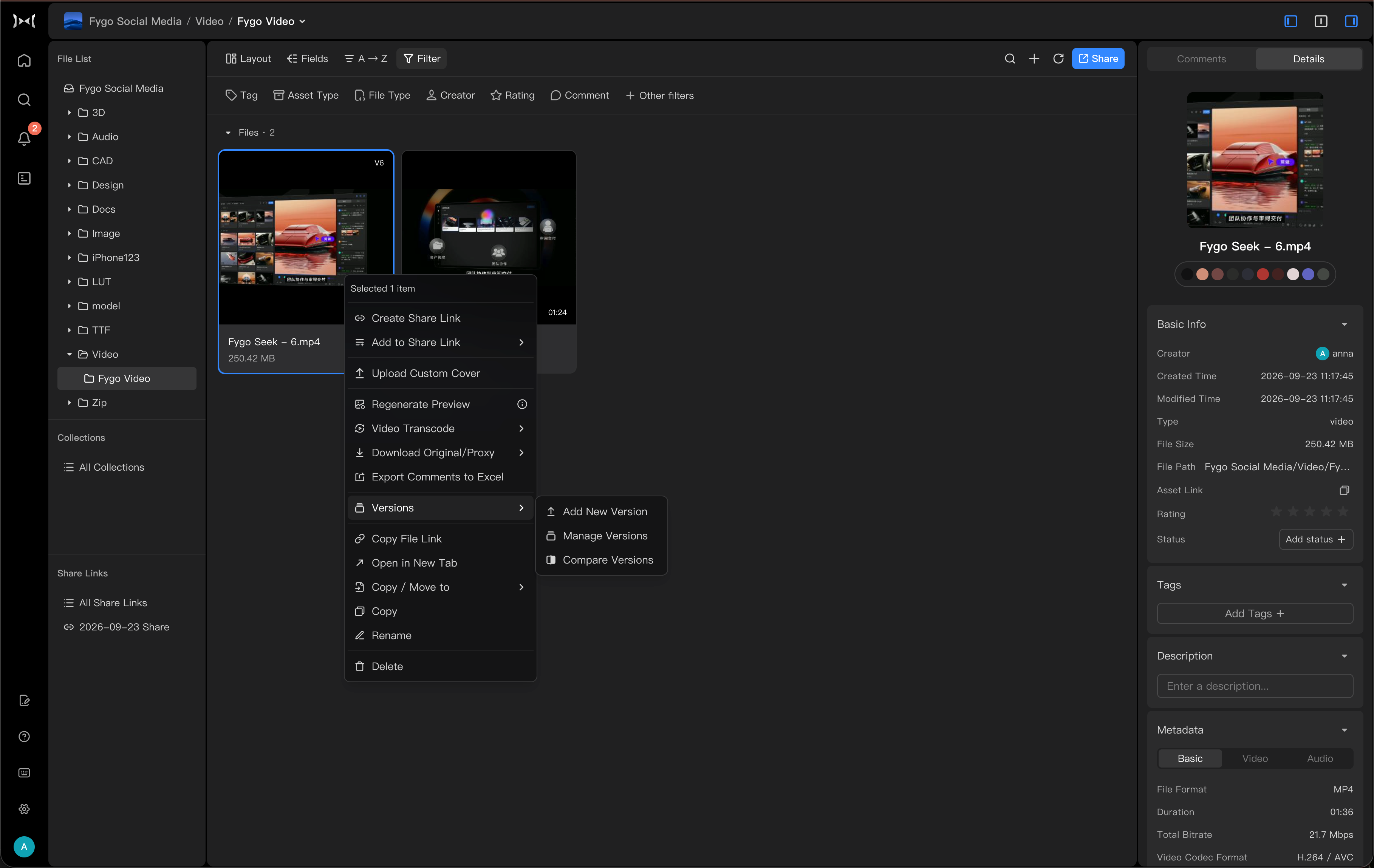
How to view and switch versions?
After adding multiple versions, you can view the historical versions in the version list on the asset details page.
After switching versions, you can preview the selected version. Before handling customer feedback, exporting comments, or sending a Share Link, confirm that the correct version is selected.
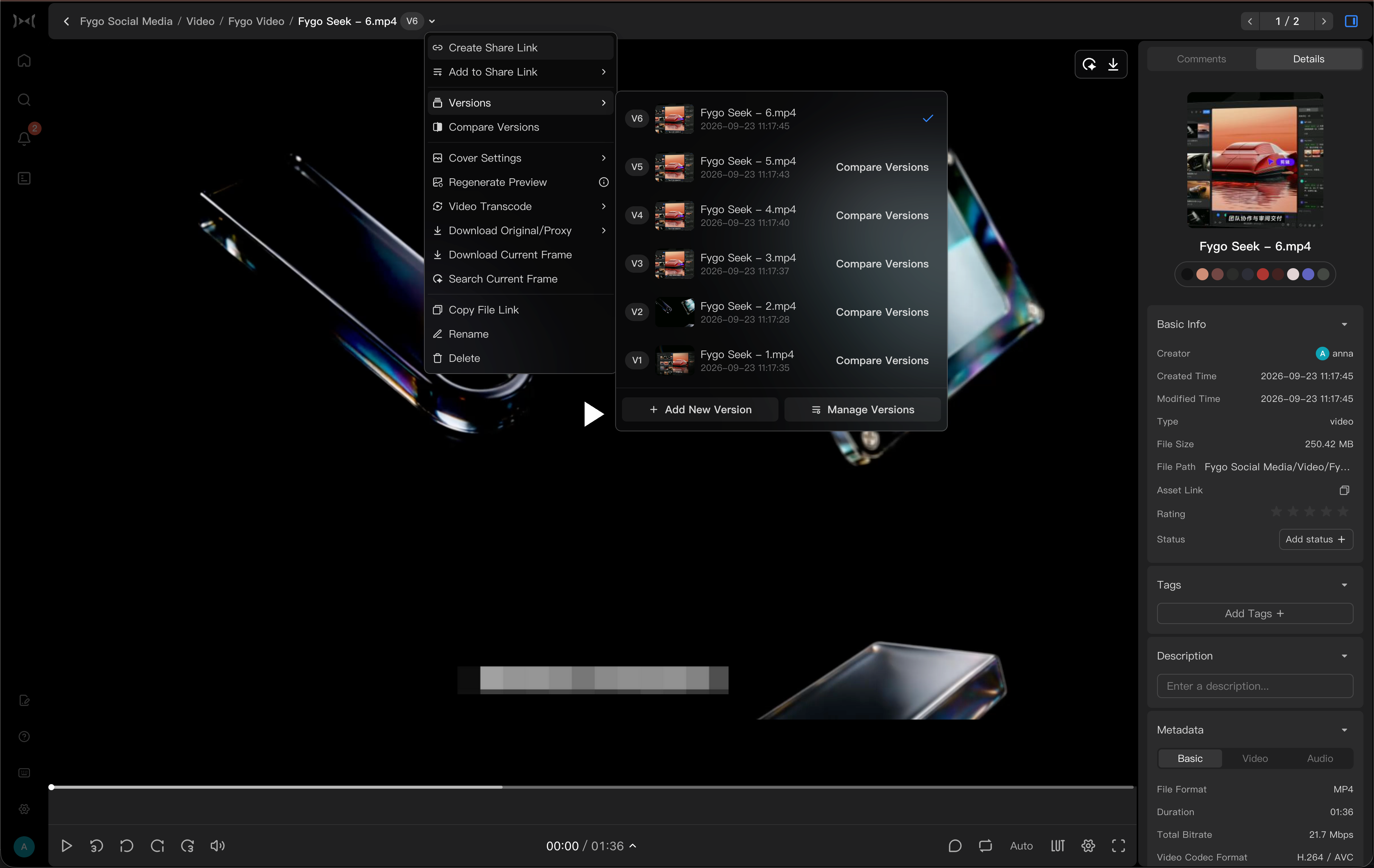
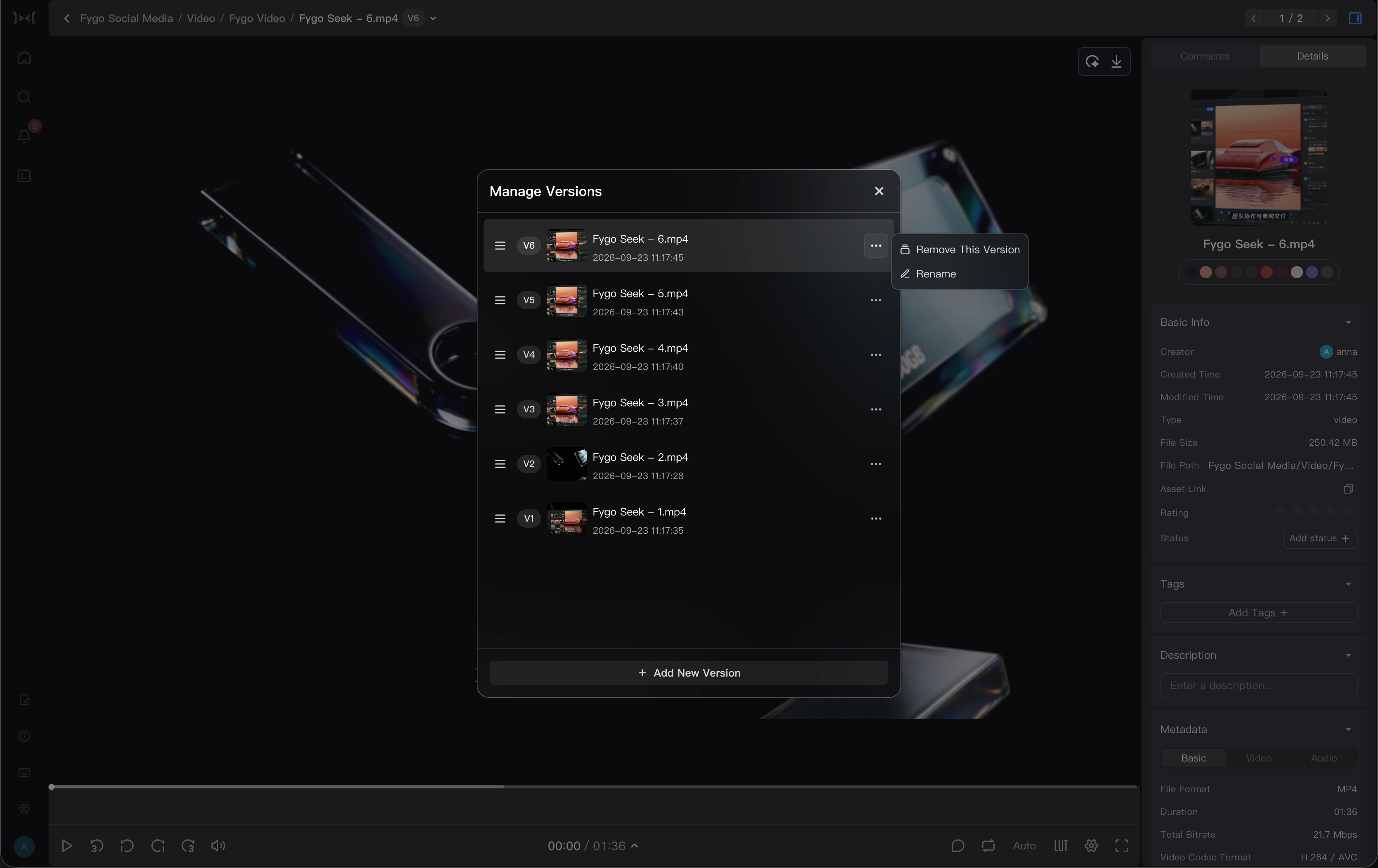
How to manage versions
In the version list, you can organize existing versions to keep the version relationship clear.
Common management methods include:
- Drag-and-drop sorting: Drag-and-drop versions can adjust the order of versions in the list, making it easier to put commonly used versions, current review versions, or final delivered versions in an easier-to-find location.
- Rename: You can modify the name of the version, such as
Initial Cut Version,Customer Modified Version,Final Version, to help team members quickly identify different versions. - Remove version: If a version is uploaded incorrectly, or no longer needs to be retained, the version can be removed from the version list.
Before removing a version, please confirm that the version no longer needs to be reviewed, reviewed or delivered. The removed version will no longer be displayed as a historical version of the asset.
What is the relationship between multiple versions and sharing?
When creating Share Link, if there are multiple versions of the shared asset, you need to confirm the range of versions that visitors can see based on the purpose of sharing.
Common practices:
- When you only want customers to view the current final version or the current review version, it is not recommended to open all versions.
- We hope that when customers review the historical modification process, they can allow visitors to view all versions as needed.
- Before sharing, it is recommended to open the link in preview mode to confirm that visitors see the correct version.
If you need to send a review link to customers, you can refer to How to share reviews with customers through Seek.