How to Manage Fygo Seek Project Access
Fygo Seek lets you make a project public or grant access to specific members. A public project is accessible to all users; a restricted project is visible only to its members and administrators.
Admins appear in every project and can access all projects. Other users see only public projects and projects they belong to in their project list.
Seek currently distinguishes Admins from Project Members. More granular roles and permissions are planned.
How to Make a Project Public
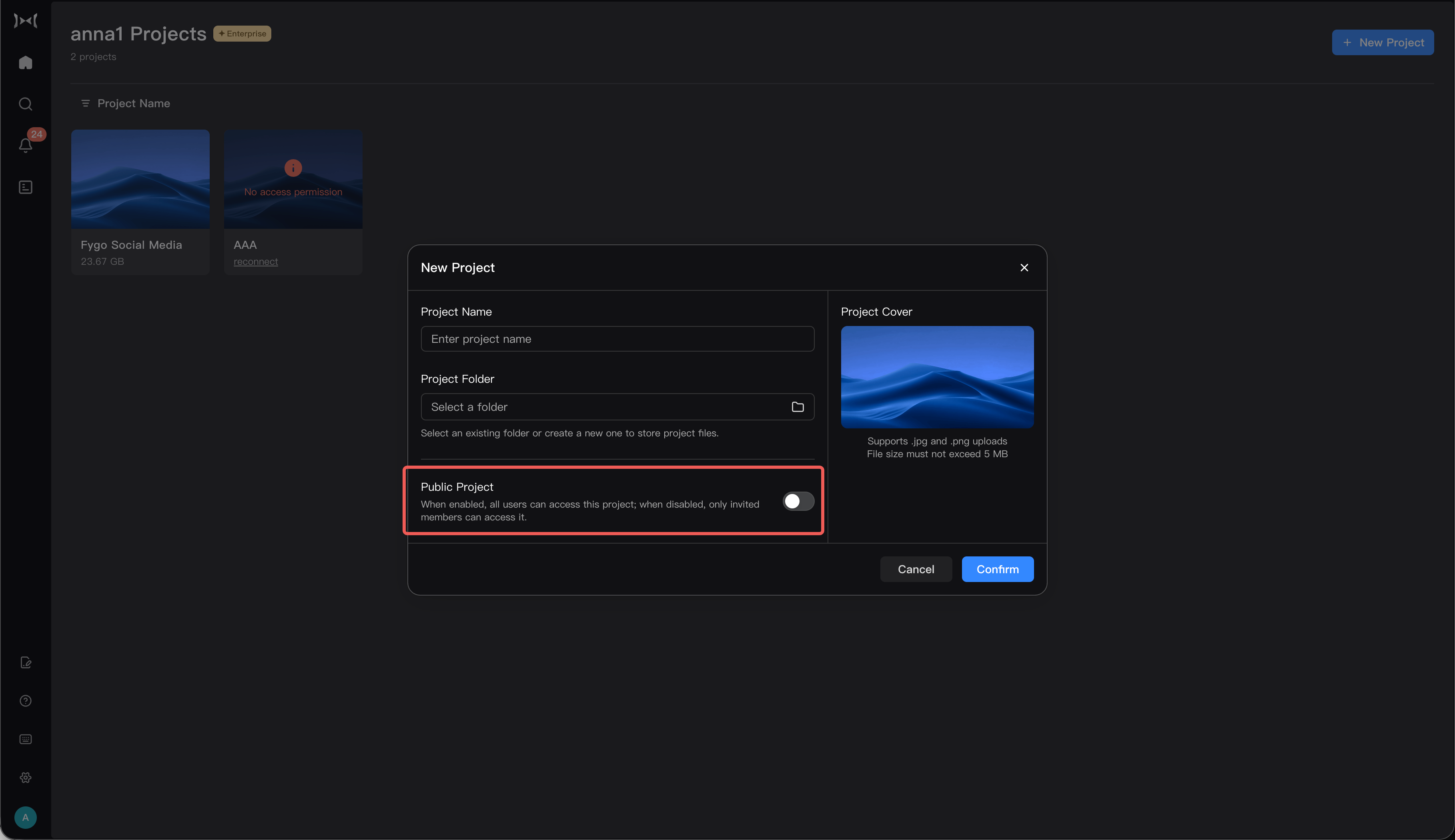
You can make a project public during creation or later in its settings. Public projects are available to all users and appear in their project lists.
During Project Creation
- In Fygo Seek, select
New Project. - Enter the project details.
- Set the project to
Public. - Create the project.
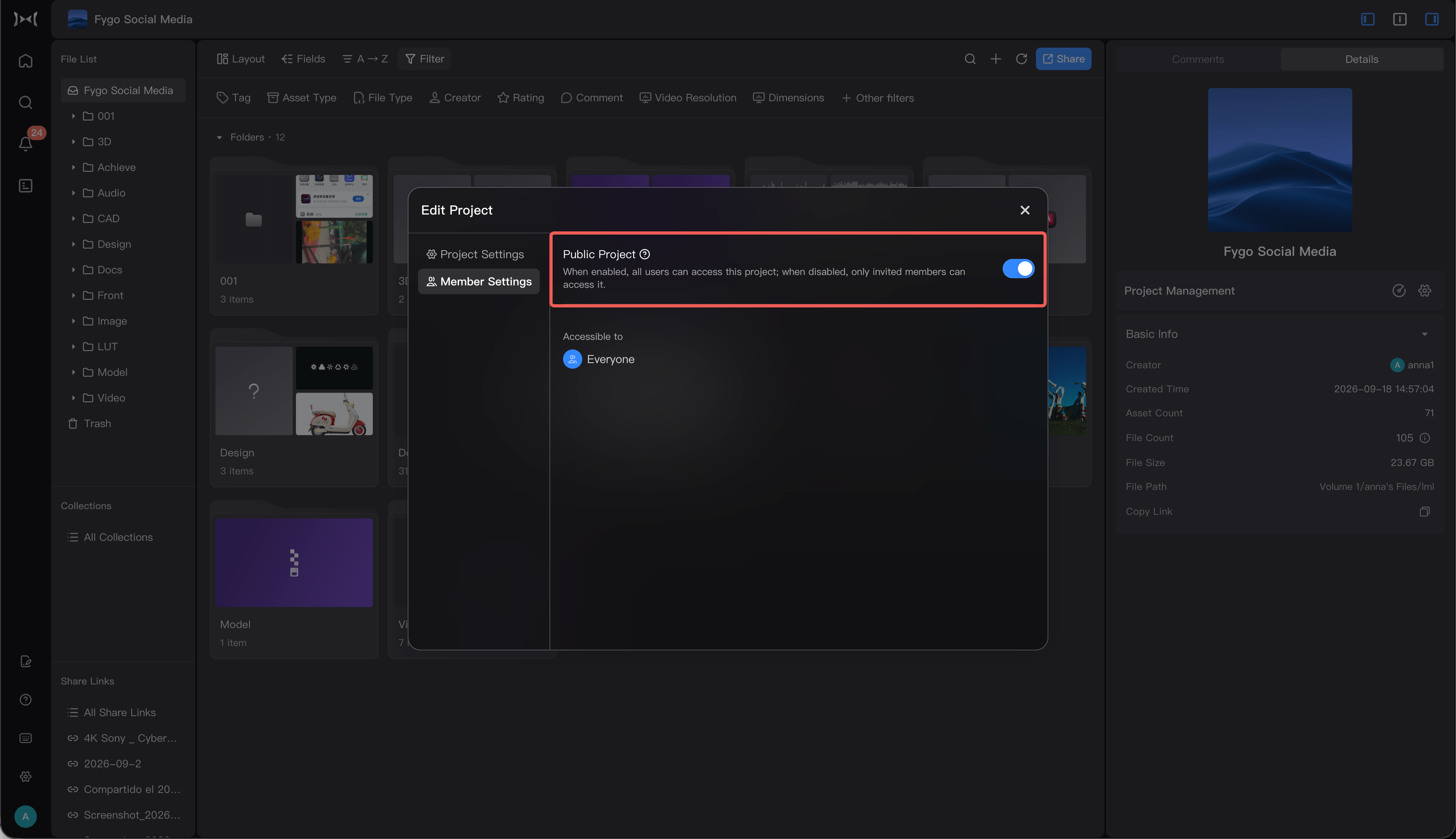
For an Existing Project
- Open the project.
- Go to
Project Settings → Members. - Set the project to
Publicand save.
How to Manage Project Members
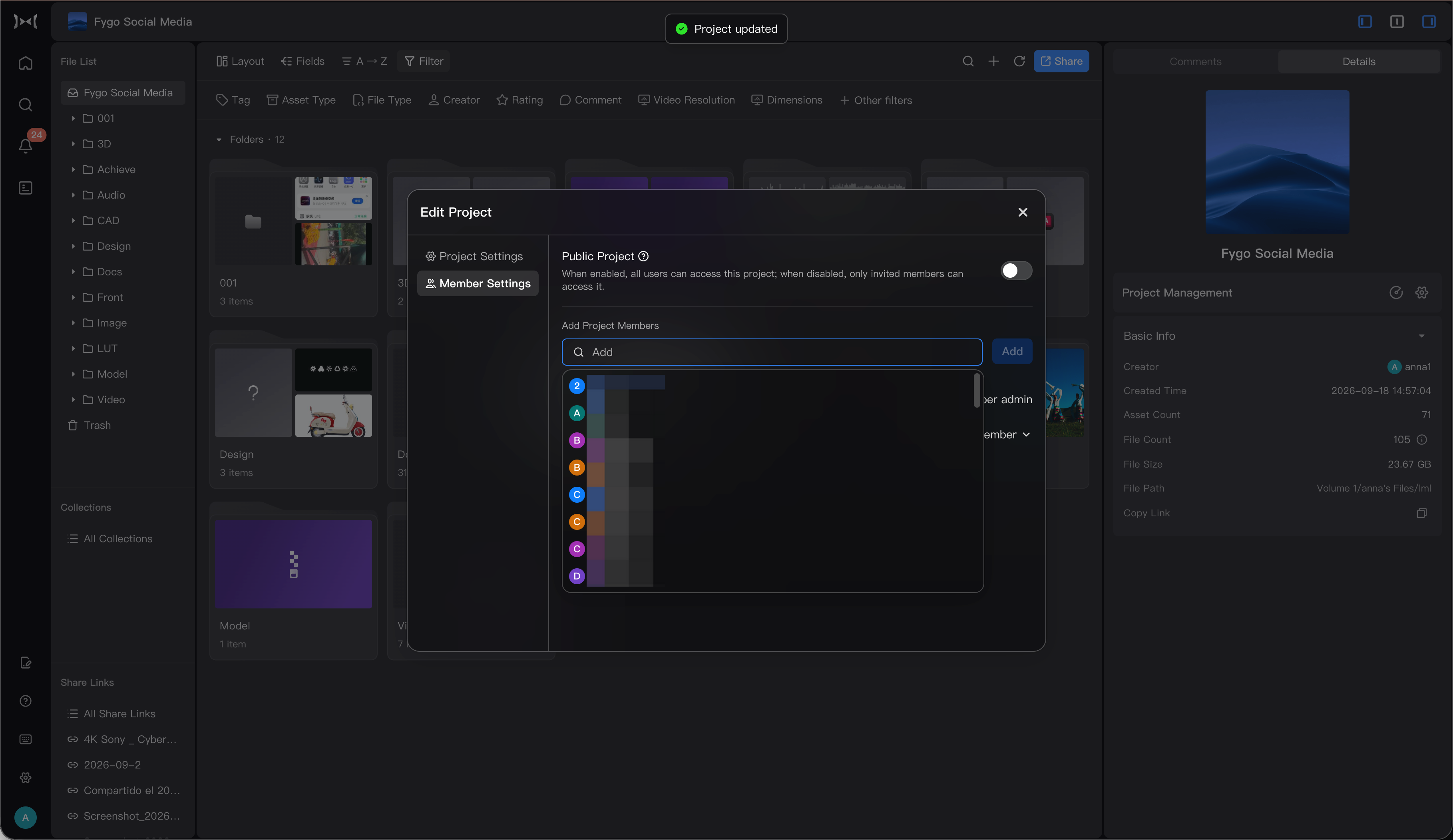
In project settings, you can add or remove Project Members. Admins are automatically listed in every project; you do not need to add them individually.
Add Project Members
For a restricted project, add each user who needs access:
- Open the project and go to
Project Settings → Members. - Select
Add Member. - Search for and select the user.
- Save. The user becomes a Project Member and can now see the project in their list.
Admins and Project Members
- Admin: Always present in every project. Can manage projects, edit content, and upload files.
- Project Member: Added to individual projects. Can work in those projects but cannot manage the projects themselves.
Remove Project Members
- In
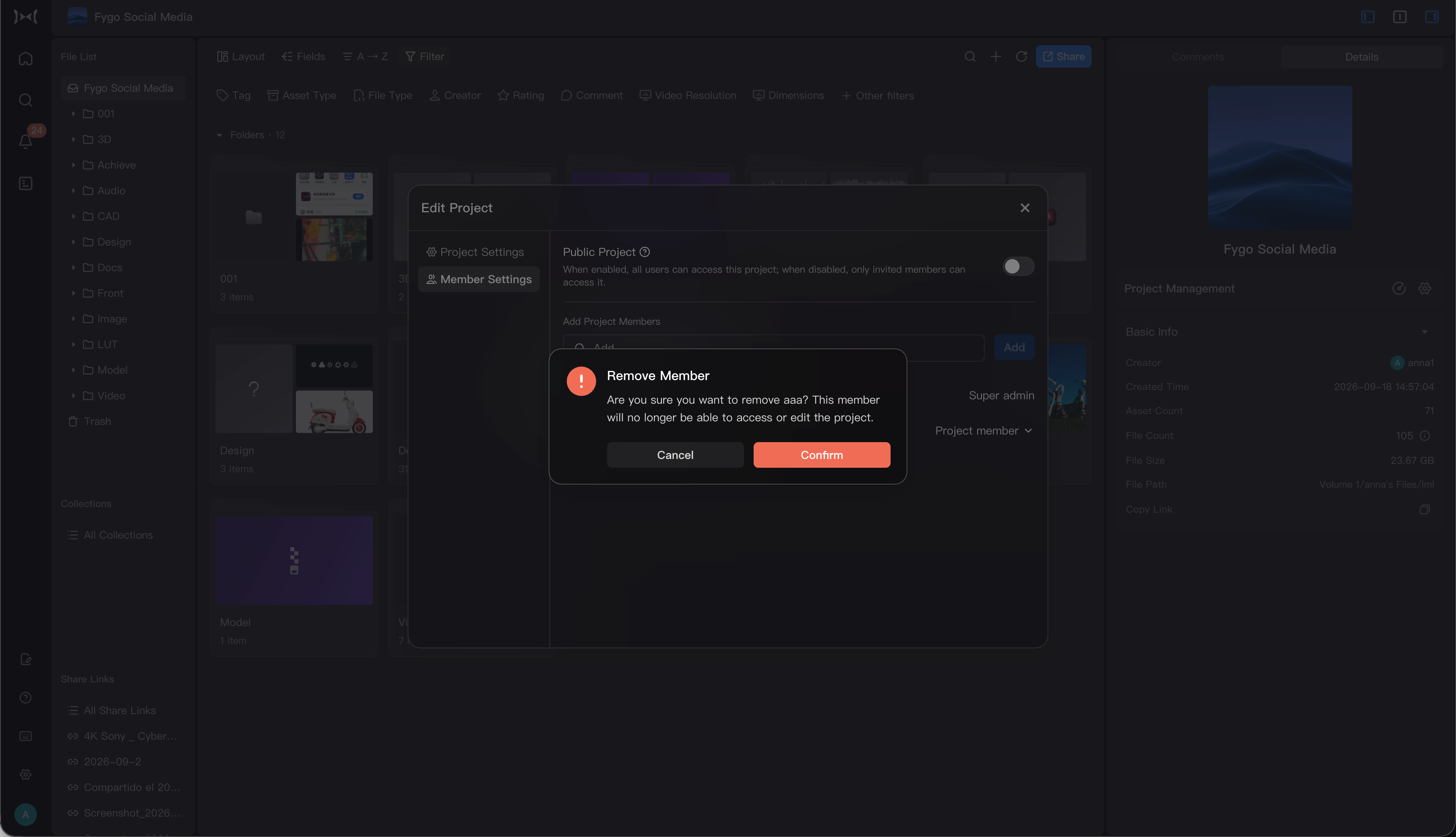
Project Settings → Members, find the user. - Select
Remove Memberand confirm.
Admins cannot be removed from an individual project. A removed member loses access to a restricted project, and it disappears from their project list. Removing a member does not delete project files. If the project is public, the user can still access it as a public project.
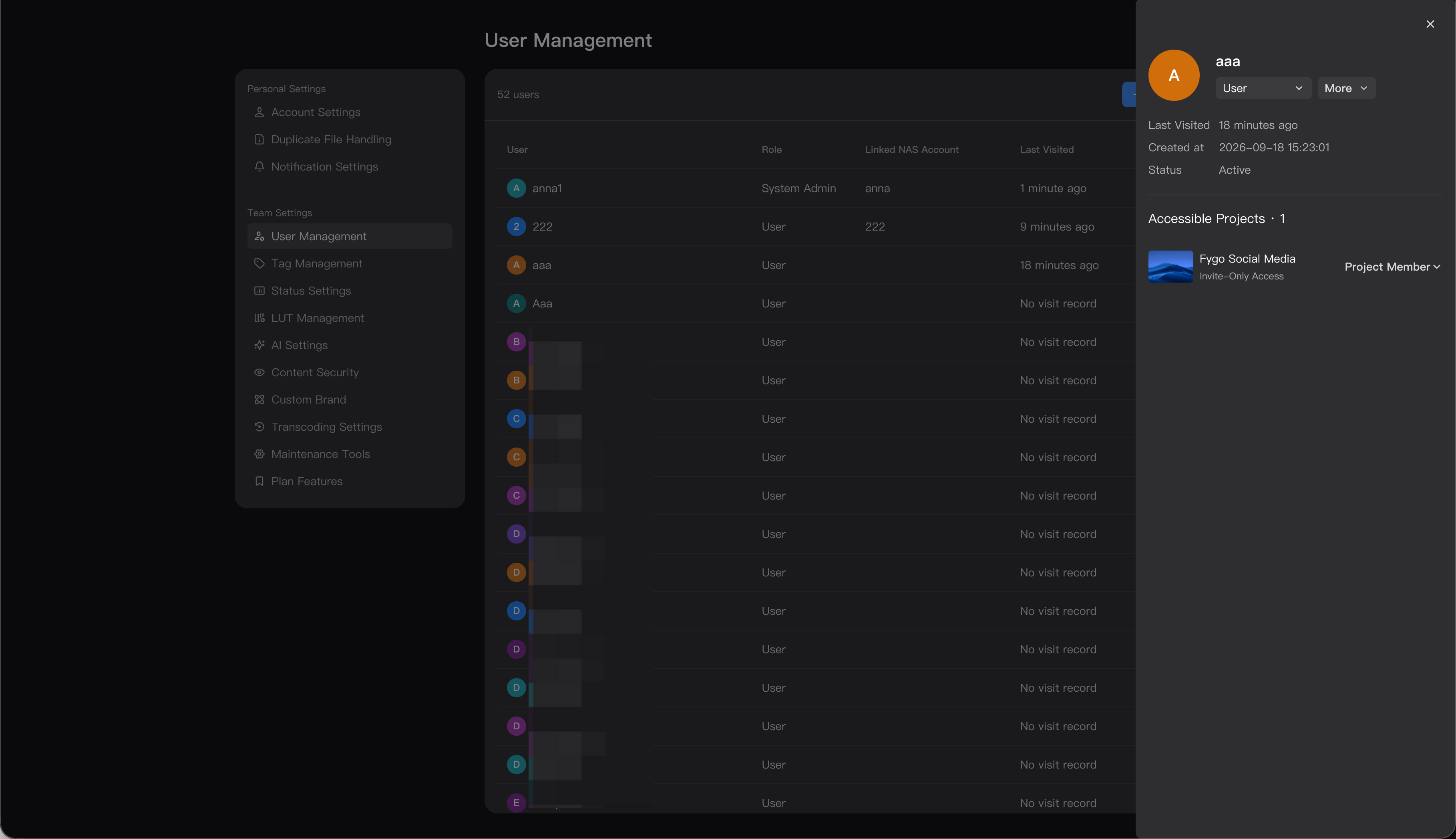
How to View a User's Projects
To review a user's access across projects:
- Open
Seek → User Settings. - Select the user and open their details or permissions.
- Review the list of projects they can access.
Admins have access to every project. Other users can access public projects and projects to which they have been added.