
How to Grant Fygo Seek Access to a Folder
Fygo Seek needs folder access in FygoOS App Center to create projects in a NAS folder, read assets, upload files, and generate thumbnails and previews. Without that permission, you may not be able to select a folder for a new project or reconnect an existing project.
How to set folder authorization?
- On the FygoOS desktop, open the Fygo Seek app settings using any of these paths:
- Right-click Fygo Seek and select
Manage App. - Go to
System Settings → Apps → Fygo Seek. - Go to
App Center → Fygo Seek → App Settings.
- Right-click Fygo Seek and select
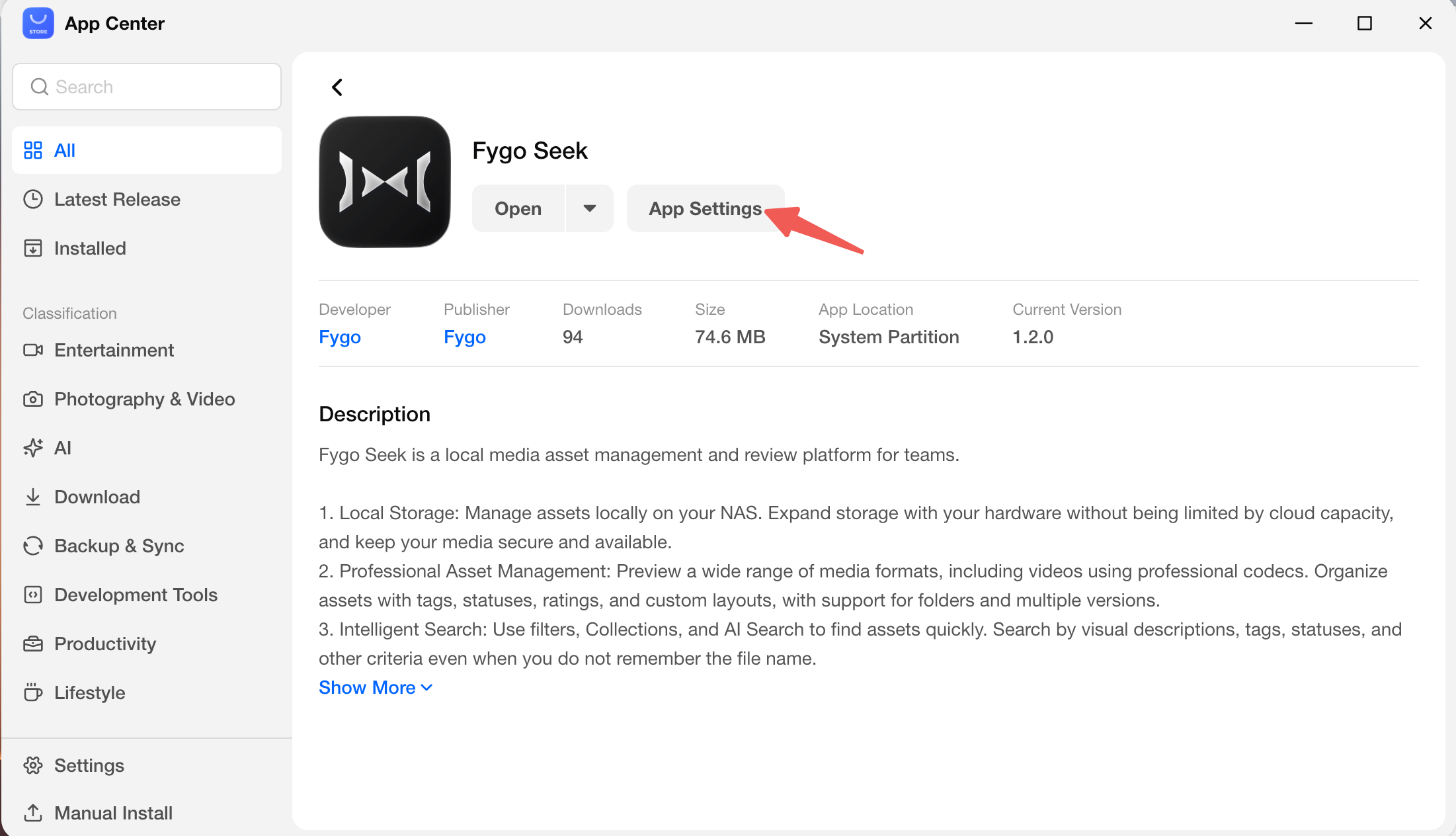 2. Under
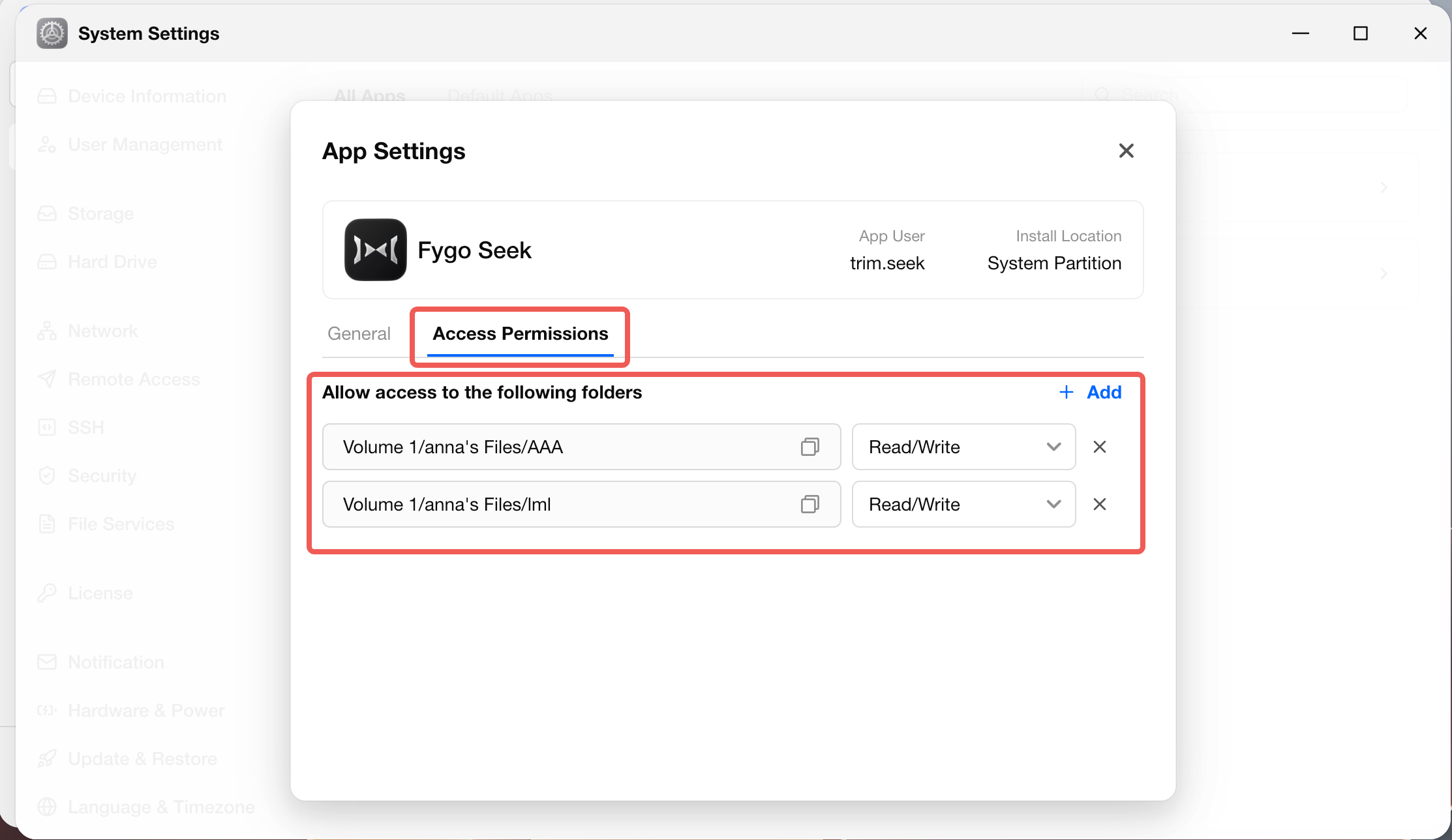
 App Settings, add the folder Seek should be able to access and select OK to save.
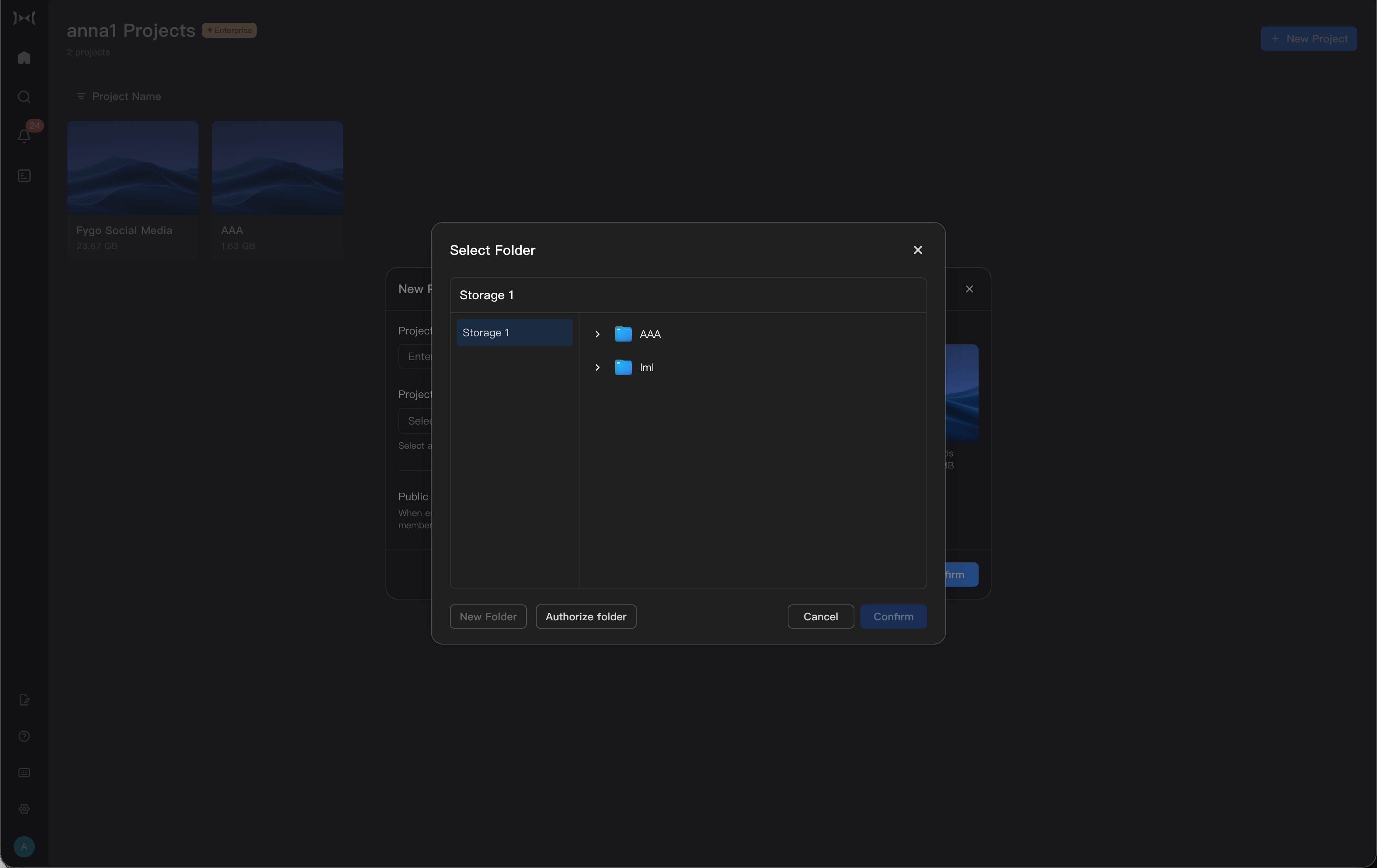
 3. After completing the authorization, you can choose the authorized folder when creating a project in Fygo Seek.
When do I need to set folder authorization?
Typically, folder authorization needs to be confirmed in these scenarios:
- Create a Seek project for the first time.
- Select the folder to save the project files when creating the project.
- The project folder was moved, renamed, or the permissions were modified in the system.
- When opening a project, it prompts "Exception in project folder permissions".
- When uploading, deleting, moving, generating previews or transcoding, it prompts that there is no permission.
- The project folder needs to be re-associated.
What should I do if an existing project prompts that resources cannot be loaded?
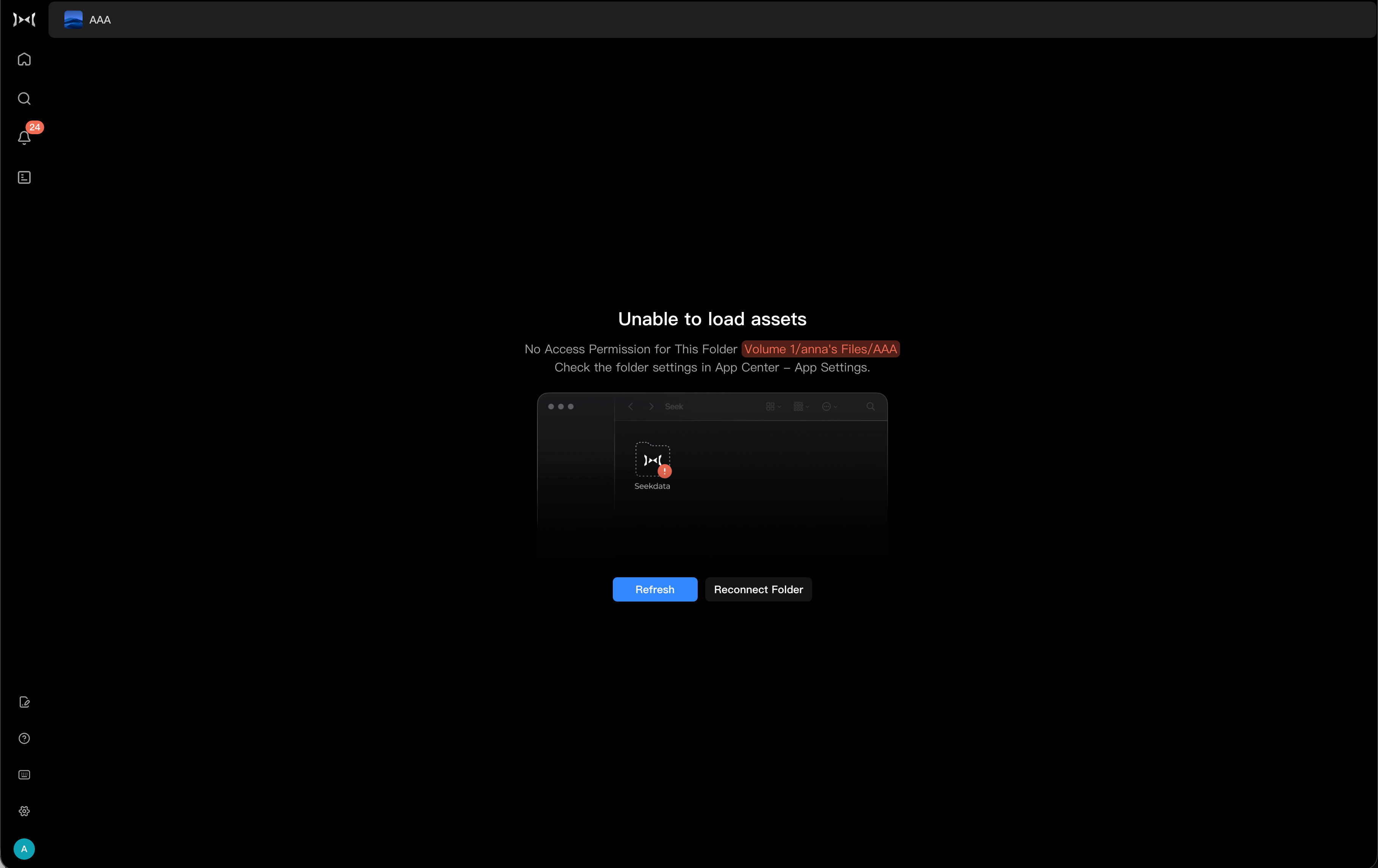 If the project has been created, but when it is opened, it prompts that the resources cannot be loaded, it is usually because the folder authorization is lost or the folder has been migrated.
You can try to reassociate the folder:
- Check whether the folder authorization of Fygo Seek is correct.
- Open the Seek project.
- Select "Reassociate Folder" according to the prompts on the page.
- Find the original project folder in the folder selector.
- Confirm that the folder path is correct.
- Refresh the project after completing the association.
If the original folder has been deleted or moved, please first confirm the real path in Fygo file management, and then return to Seek to select again.
Usage suggestions
- It is not recommended to manually move the Seek project folder frequently.
- If you need to migrate the project directory, please confirm the permissions of the new directory first, and then re-associate it in Seek.
- For important projects, it is recommended to combine the backup or snapshot capabilities of FygoOS to protect asset data.