Fygo

Help Center

  • Getting Started
  • How to Install and Initialize FygoOS?
  • How to Install the App and Connect to Fygo NAS?
  • How to Install FygoOS on a Virtual Machine?
  • Troubleshooting System Installation Issues
  • Storage
  • How to Create a Volume?
  • Do Hard Drives Hibernate Automatically?
  • How to Use SSD Cache Acceleration?
  • Fygo TV
  • How to install Fygo TV and create a library?
  • How to create Fygo TV accounts for family and friends?
  • Cannot select a folder when creating a library?
  • Photos
  • How to Back Up Phone Photos?
  • How to Share Photos with Others?
  • AI Photos Feature Guide
  • How to Import Google Photos into Fygo?
  • Video Plays with Black Screen but Has Sound in Web Photos?
  • Remote Access
  • How to Remotely Access Your Fygo NAS?
  • System Settings
  • How to create a new user?
  • About Bluetooth Network Setup
  • How to Use a Wireless Network Adapter?
  • How to Change FygoOS Ports?
  • How to Use the System Configuration Backup and Restore Feature?
  • Frequent Network Errors in System Settings?
  • How to Enable Two-Factor Authentication (2FA)
  • Unable to Complete Two-Factor Authentication (2FA)?
  • How to Enable Email Notification Service
  • Files
  • How to share My Files with other users?
  • How to share a Team Folder?
  • How do file permissions work and how can I configure them?
  • How to create an external share link for a file?
  • File Services
  • Notes on Mounting Fygo NAS via WebDAV on Windows
  • Notes on Mounting Fygo NAS via NFS on Windows
  • SMB 3 Multichannel Requirements
  • Media File Formats Supported by DLNA
  • Virtual Machine
  • How to Install and Use Virtual Machine?
  • How to Use Virtual Machine Hardware Passthrough?
  • Fygo Sync
  • Fygo Sync Feature Guide
  • How to Use On-Demand Sync
  • Frequently Asked Questions
  • Backup
  • Encrypted Backup Overview
  • iSCSI
  • iSCSI Glossary
  • iSCSI Basic Features
  • User Group Configuration
  • CHAP Configuration
  • Frequently Asked Questions
  • Security
  • How to Set Up and Use the Access Code?
  • Security Advisories
  • License
  • Fygo License overview and activation guide
  • Fygo License FAQ
  • More
  • Contact Us
  • What is the difference between a local account and a Fygo Account?
  • What is the difference between administrator and standard user permissions?
  • Fygo Beta Disclaimer
  • Rockchip Series eMMC USB Flashing Tutorial
  • Rockchip Series TF Card Flashing Tutorial
  • Boot FygoOS from NVMe on Rockchip Devices - Flash U-Boot to SPI
  • Public source code
  • About Bluetooth Network Setup

    With the Fygo App and your phone's Bluetooth, you can connect an uninitialized Fygo NAS to a wireless LAN. No Ethernet cable is required to get started.

    Supported Devices

    The device needs a wireless network adapter and Bluetooth chip that FygoOS can drive. For security, Bluetooth advertising works only before the system is initialized, so only uninitialized devices can be discovered.

    How to Use

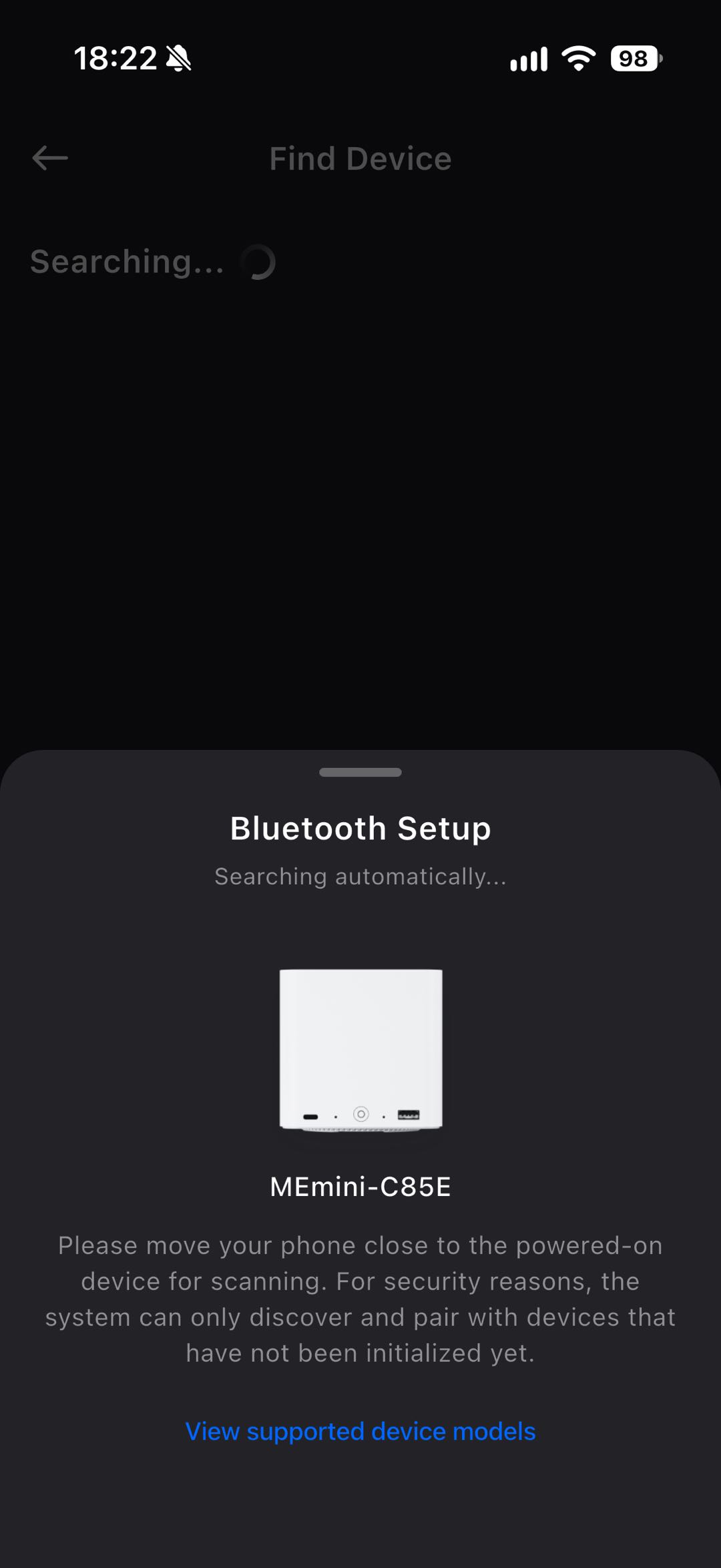
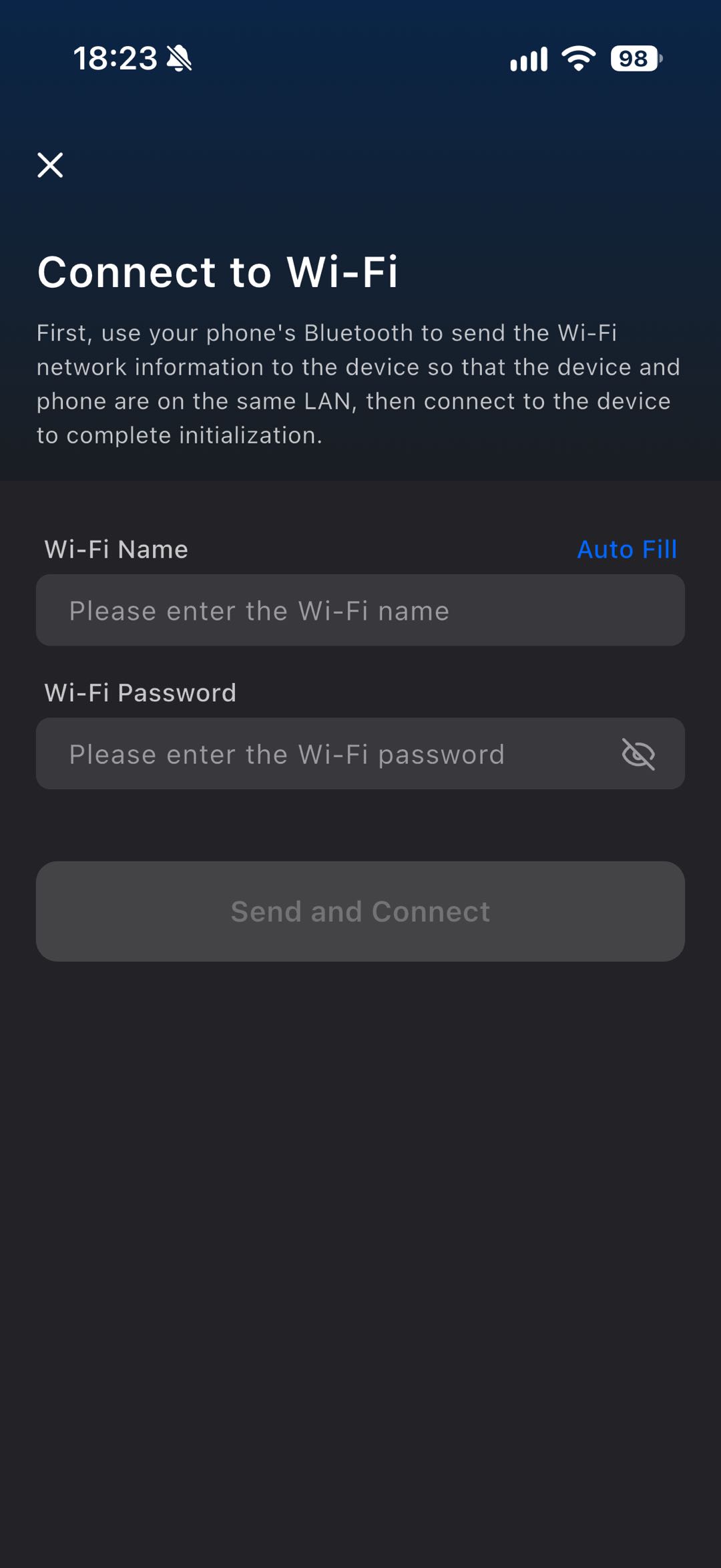
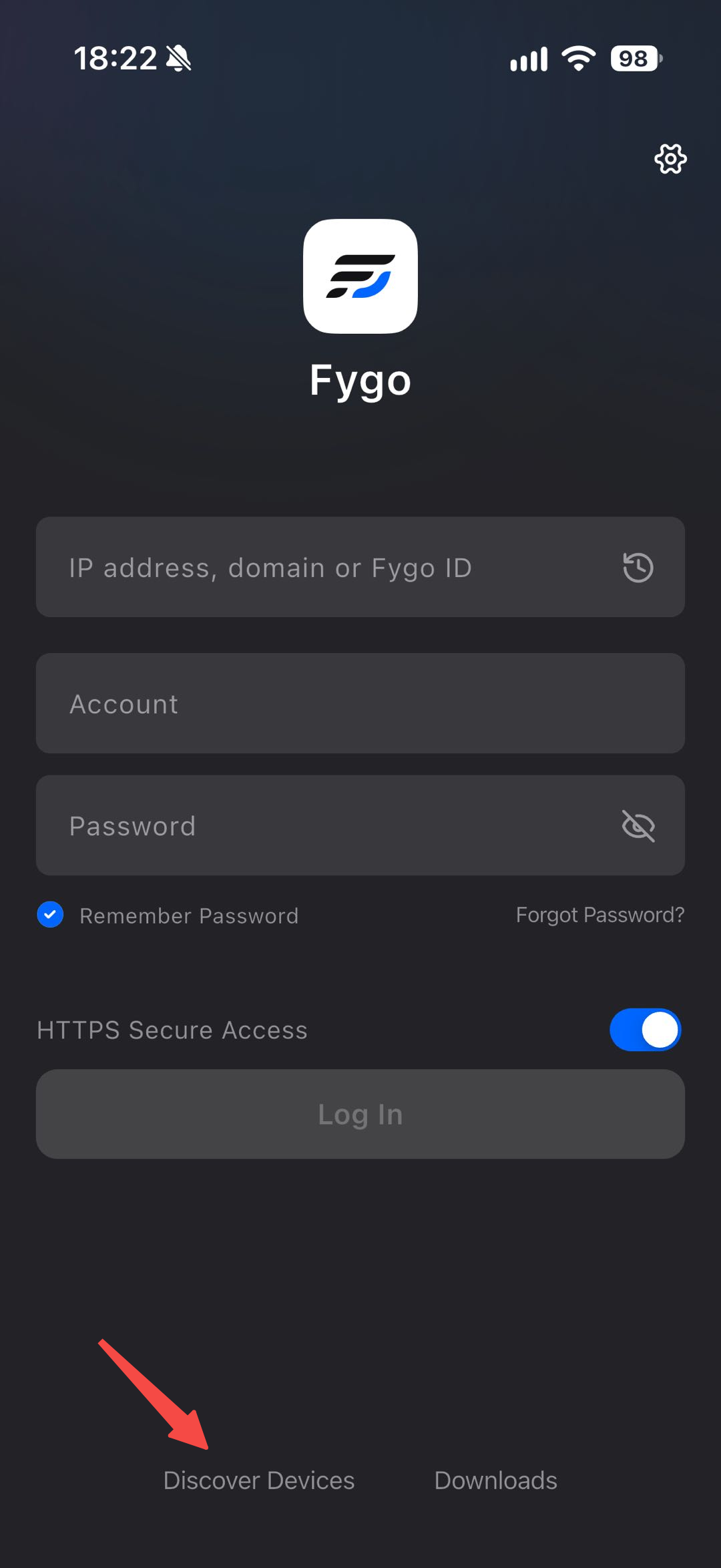
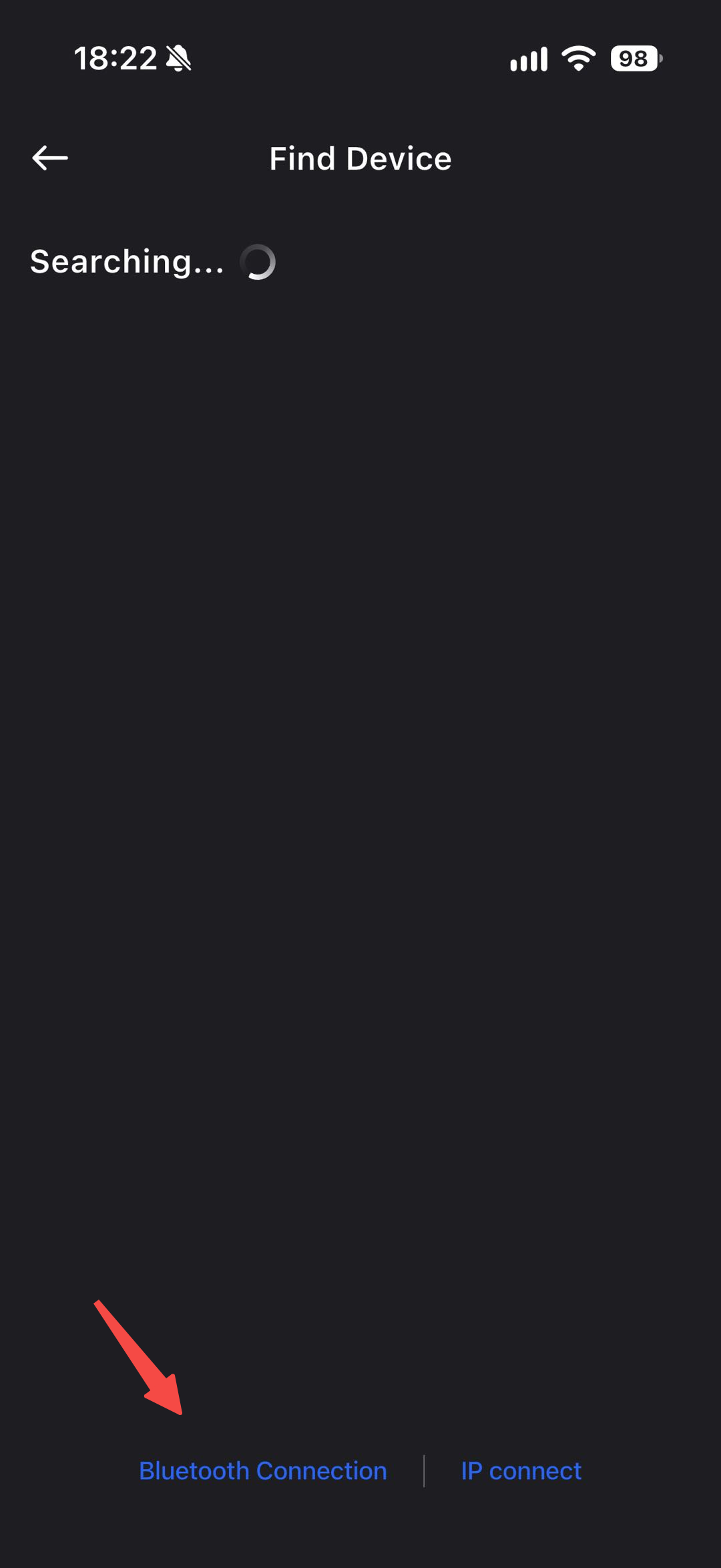
    On the Fygo App login page, tap Discover Devices on LAN, then select Bluetooth Connection. After pairing succeeds, enter the Wi-Fi name and password to share with the Fygo NAS. After the Fygo NAS joins the network, make sure your phone is on the same LAN, then you can start using the Fygo NAS.
    Was this article helpful?